Apptrove CLI
apptrove is a command line tool that checks an app project for Apptrove SDK integration problems
(install not tracked, events missing, UniLink not opening the app, outdated SDK version, build issues) and shows
how to fix each one. In a terminal it opens an interactive screen where you can review a fix as a diff and apply
it with one key press.
Supported projects: native Android, native iOS, Flutter, React Native, Expo, Cordova, Ionic/Capacitor, and .NET MAUI.
doctor only reads your project and your Apptrove account. It changes a file only when you press Fix
and confirm the change shown on screen. The original file is backed up first, and apptrove undo restores it.
Install
No Go, Node, or admin rights needed. The installer detects your OS and CPU, verifies the download against a
checksum (a corrupted or tampered download is never installed), and puts apptrove on your PATH.
macOS / Linux
curl -fsSL https://storage.googleapis.com/apptrove-sdk/apptrove-cli/install.sh | sh
Windows (PowerShell)
irm https://storage.googleapis.com/apptrove-sdk/apptrove-cli/install.ps1 | iex
Available for: macOS (Apple silicon, Intel), Linux (x86_64, arm64), Windows (x86_64, arm64).
Log in
Get your API key from the Apptrove dashboard: select your app, then open the Setting tab (the first tab) to find your API key, then run:
apptrove login
Paste the key at the hidden prompt — nothing is shown on screen or saved to your shell history. It's checked
against your account and saved to ~/.apptrove/config.json, so you only do this once per machine.

For scripts or CI, pass the key directly instead, or set it as an environment variable:
apptrove login YOUR_API_KEY
# or
export APPTROVE_API_KEY=YOUR_API_KEY
Check it worked:
apptrove --version

Run doctor
From your app's project folder:
cd path/to/my-app
apptrove doctor
When you're logged in, doctor also checks the project against your Apptrove account: SDK key, event IDs,
SDK signing, UniLink setup, and recent installs. It opens an interactive screen with every finding, grouped as
Errors, Warnings, and Done (what's already set up correctly: SDK initialization, deep links, UniLink,
uninstall tracking, ATT, SKAN, events, signing).
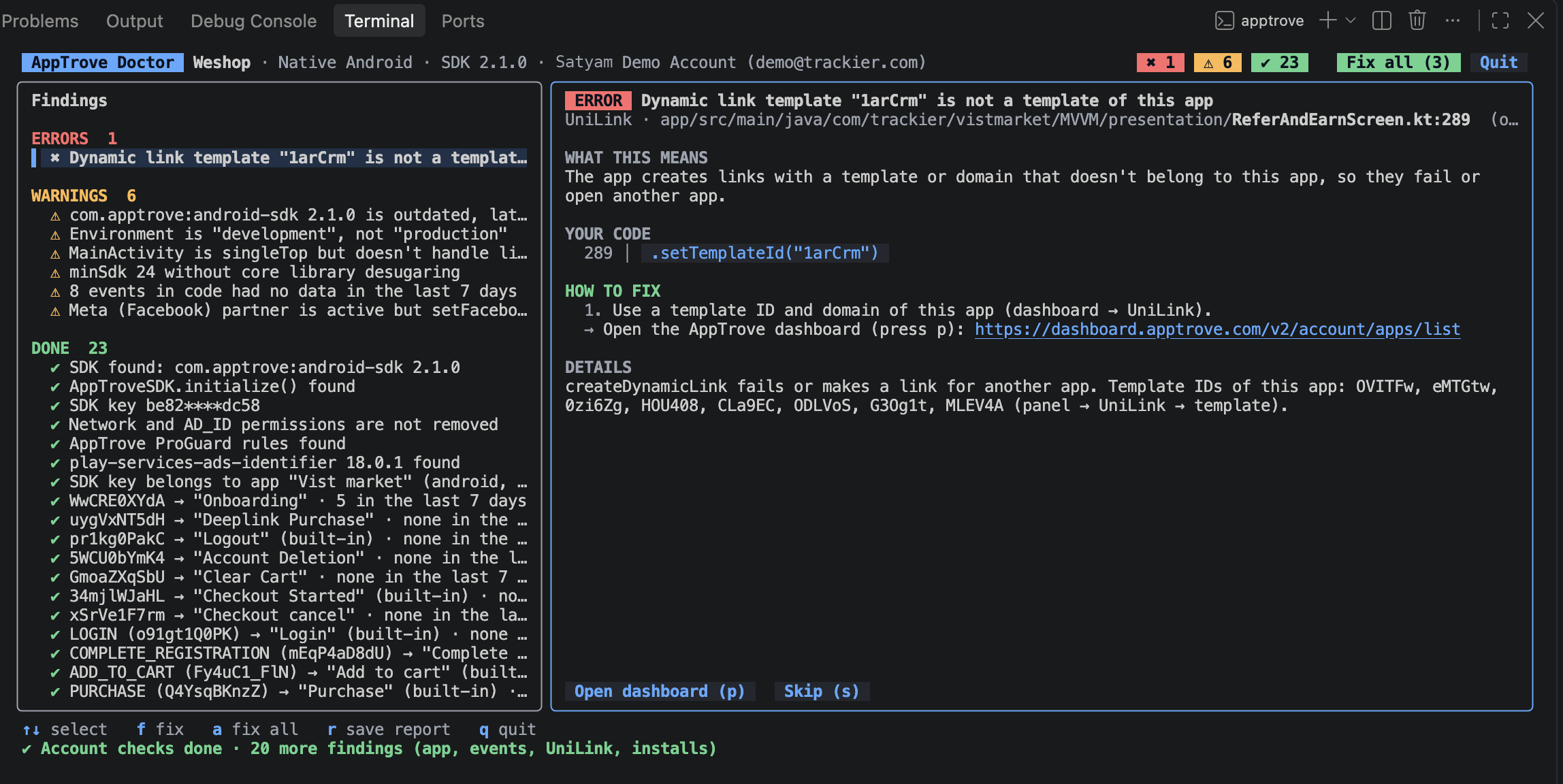
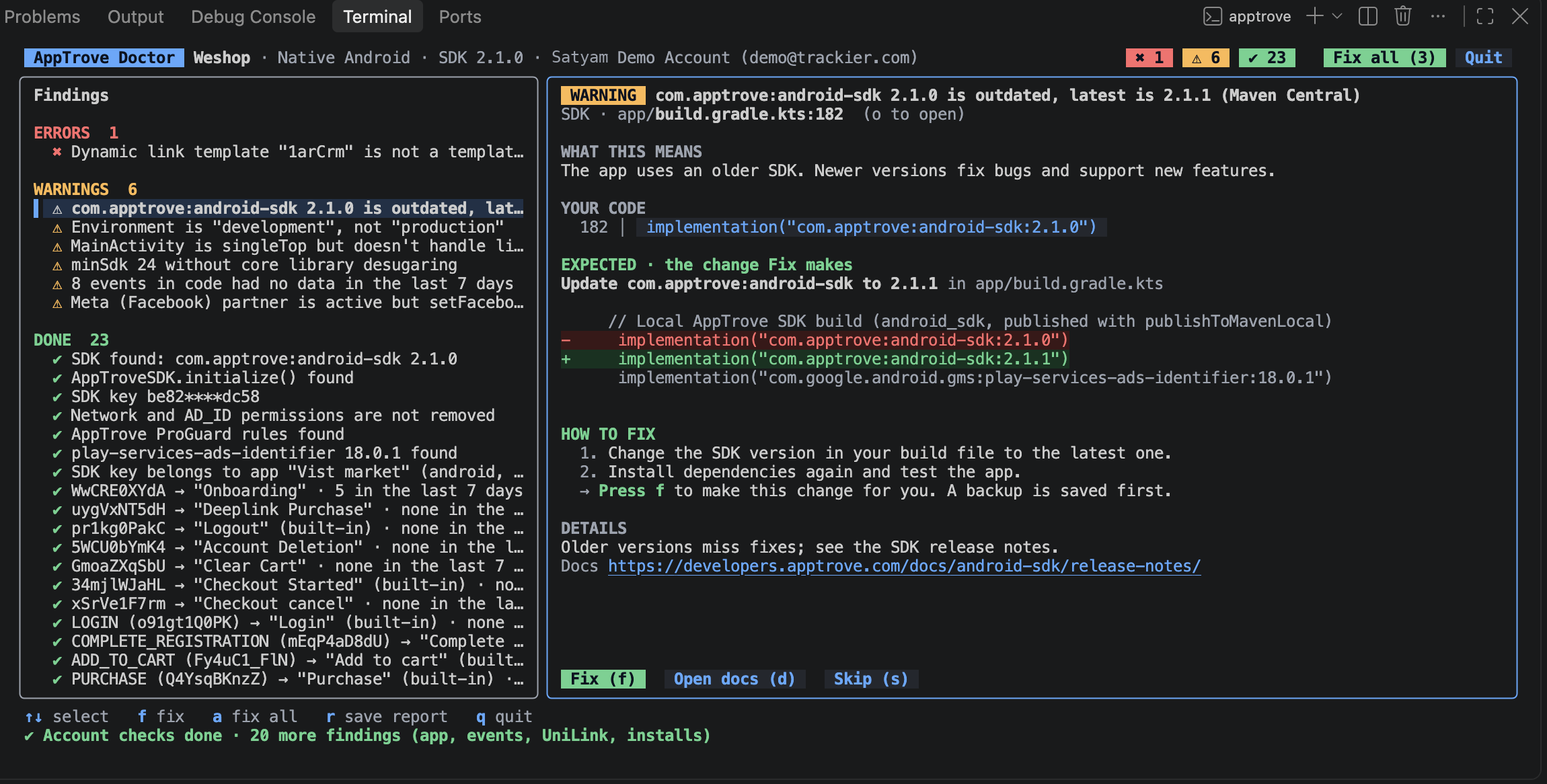
Select a finding to see, in plain language:
- What this means
- Your code, the exact lines it points at
- How to fix, numbered steps, with a link to the relevant docs page
- Details, the technical reason
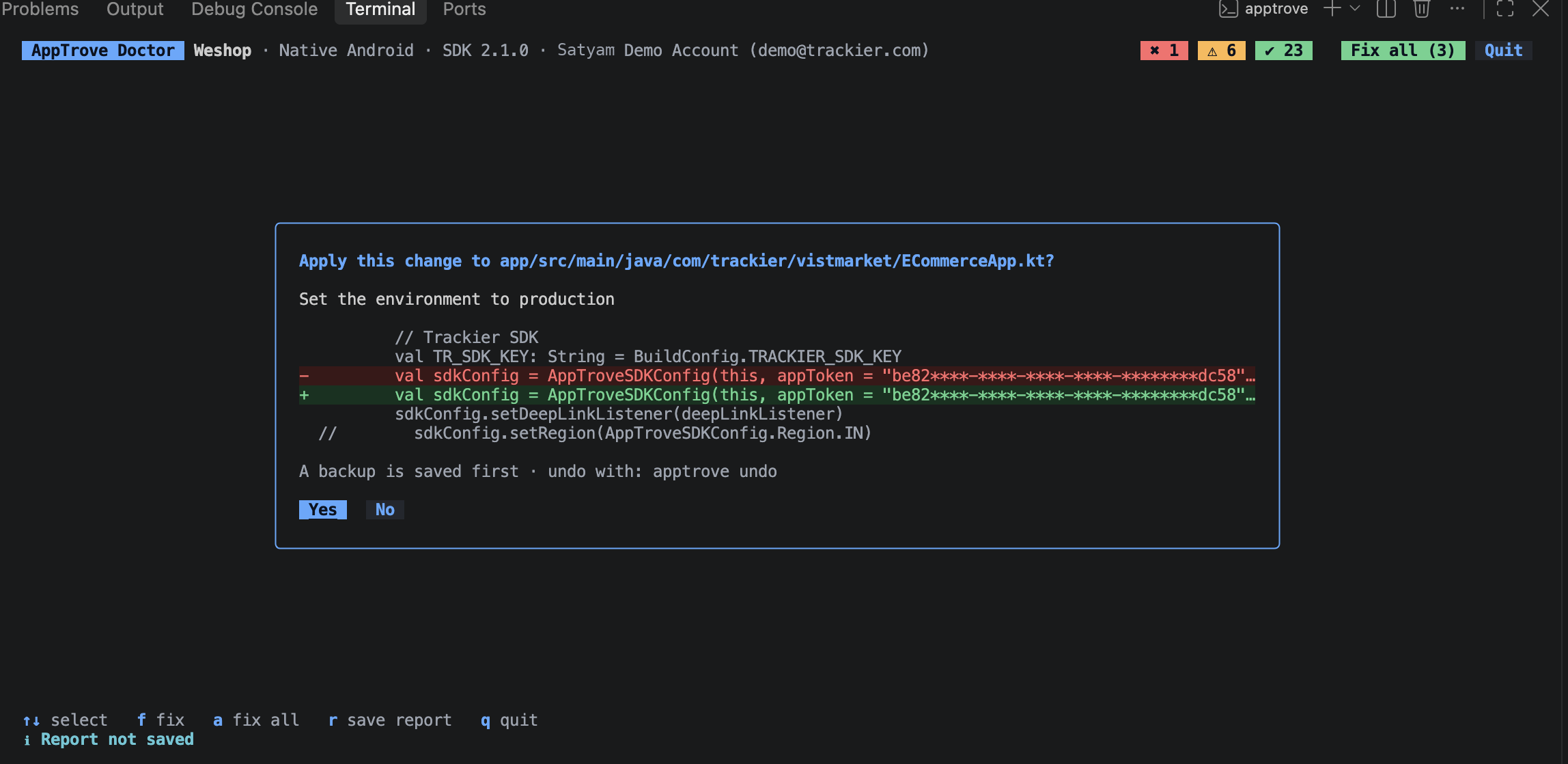
Apply a fix
Press f on a finding that can be fixed automatically. It shows the exact diff it's about to apply; press
Enter or y to confirm, or n to cancel. The original file is backed up before anything is written, so
you can always run apptrove undo to restore it.
Press a to apply every fixable finding at once (Fix all). Findings that can't be changed in code, like an account or dashboard setting, show Open dashboard instead and list the manual steps to take there.
While doctor is open, editing a file in your editor re-checks it within a couple of seconds, so a fixed finding moves to Done without re-running the command.
Save a report
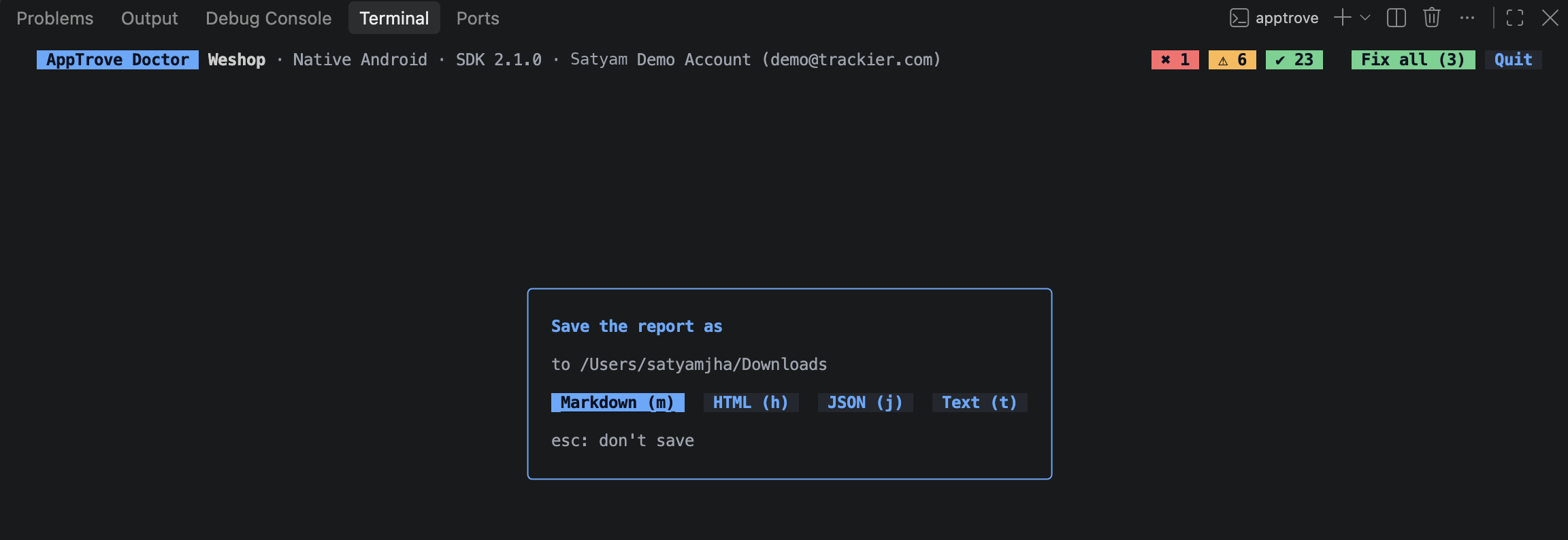
Press r at any time to save a report without quitting, or q to quit, which asks first. Either way, pick
Markdown, HTML, JSON, or Text — handy for sharing with your team or attaching to a ticket. Reports
are saved to ~/Downloads by default.
API keys and SDK keys are never printed in full — on screen, in reports, or in JSON output — for example
e088****-****-****-****-********ac5b. Pass --show-keys if you need the full value.
CI and scripting
Without a terminal (CI, pipes) or with --plain, doctor prints the same report as plain text instead of opening
the interactive screen, and never changes your project:
apptrove doctor --plain
# 0 errors · 4 warnings · 8 done · 0 suggested changes
Exit codes
| Code | Meaning |
|---|---|
0 | All good |
1 | Warnings only |
2 | Errors (problems left when you quit) |
Useful flags
| Flag | What it does |
|---|---|
--plain | Print the report instead of opening the interactive screen |
--json | Print results as JSON, including suggested fixes as diffs |
--markdown | Print a Markdown report, e.g. --markdown > report.md |
--offline | Skip account checks; use bundled SDK versions, no network calls |
--path <dir> | Check a different project folder (default: current folder) |
--platform android|ios | Check only one platform |
--api-key <key> | Use this key instead of the saved login (or set APPTROVE_API_KEY) |
--show-keys | Print API keys and SDK keys in full |
Command reference
| Command | What it does |
|---|---|
apptrove login [API_KEY] | Check an API key and save it on this machine |
apptrove logout | Remove the saved API key |
apptrove doctor | Check the SDK integration of the project in this folder |
apptrove init | Detect the project and print the steps to add the SDK (dependency, config, init code); never changes your project |
apptrove verify | Check that a test device's install and events reached Apptrove |
apptrove undo [run-id] | Restore the files changed by the last Fix |
apptrove version | Print the CLI version and the latest published SDK versions |
apptrove --version | Print just the installed CLI version |
Run apptrove <command> --help for the full list of flags on any command.
Updating and uninstalling
Update
Run the install command again. It replaces the binary with the latest version; your login is kept.
Uninstall
| OS | Remove the binary |
|---|---|
| macOS / Linux | sudo rm /usr/local/bin/apptrove (or rm ~/.local/bin/apptrove, if it was installed without sudo) |
| Windows | Delete the %LOCALAPPDATA%\Programs\apptrove folder |
Then remove ~/.apptrove/ to also clear your saved login.
Troubleshooting
| Issue | Fix |
|---|---|
command not found after install | Open a new terminal window so it picks up the updated PATH |
| Checksum mismatch, install stops | The download was corrupted or tampered with; run the install command again |
doctor can't reach your account | Run apptrove login again, or check your network; use --offline to skip account checks |
| Windows SmartScreen warning | The binary isn't code-signed yet; click More info → Run anyway |
| PowerShell blocks the install script | Run Set-ExecutionPolicy -Scope CurrentUser RemoteSigned, then try again |
Related
- MMP API
- Apptrove MCP
- Support: support@apptrove.com