Apptrove MCP
Ask Apptrove about installs, revenue, events, partners, and more from Claude, ChatGPT, Cursor, or Claude Code.
| Claude connector | claude.ai/directory/connectors/apptrove |
| MCP URL | https://mcp.apptrove.com/mcp |
MCP is read-only. Access matches your API key. After connecting, ask for connection-info to see which apps you can use.
What you need
- An Apptrove account and API key (MMP API)
- Claude.ai, Cursor, Claude Code, or ChatGPT
Connect in Claude.ai
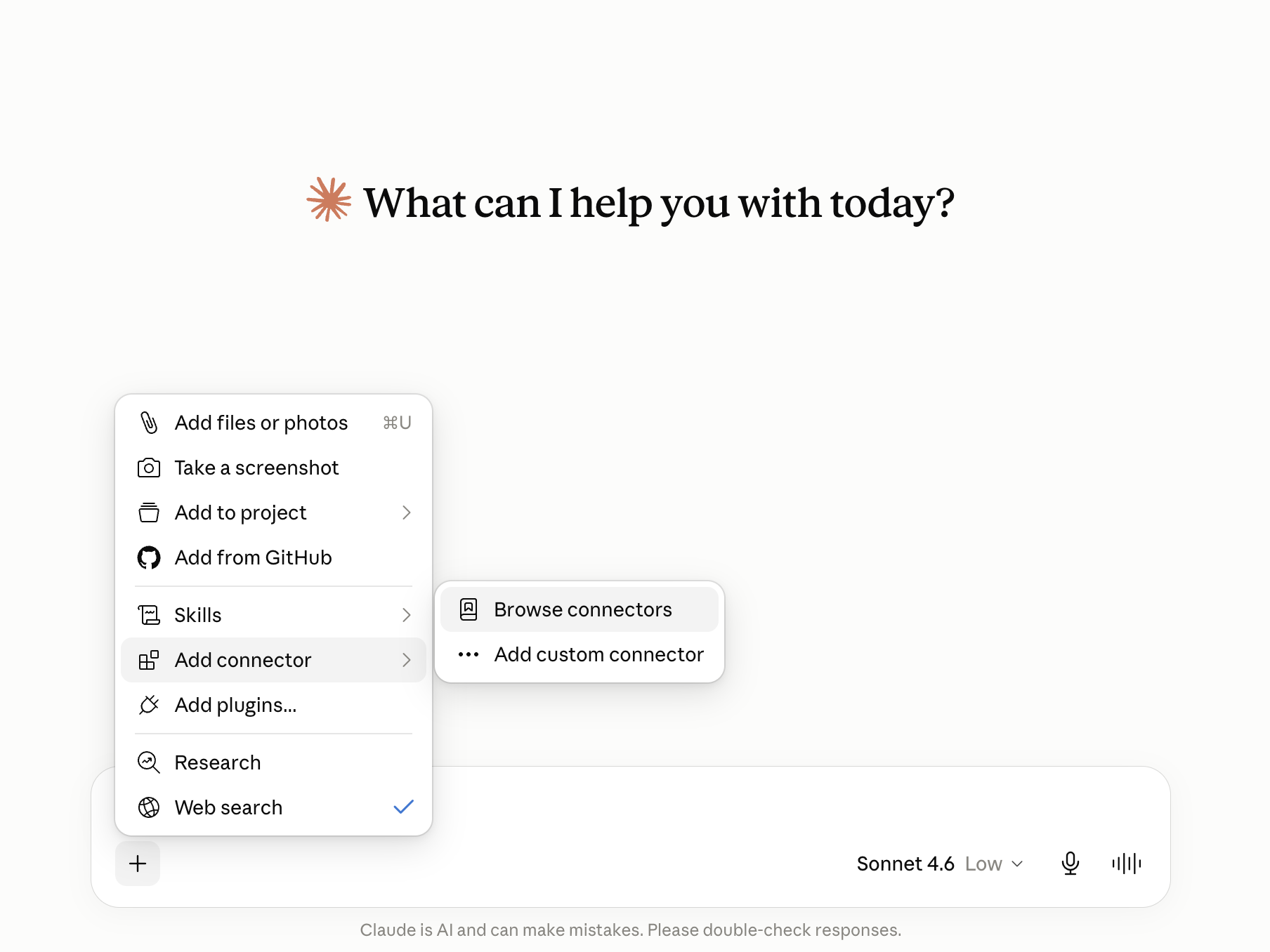
1. Browse connectors
In a Claude chat, click +, then Add connector, then Browse connectors.
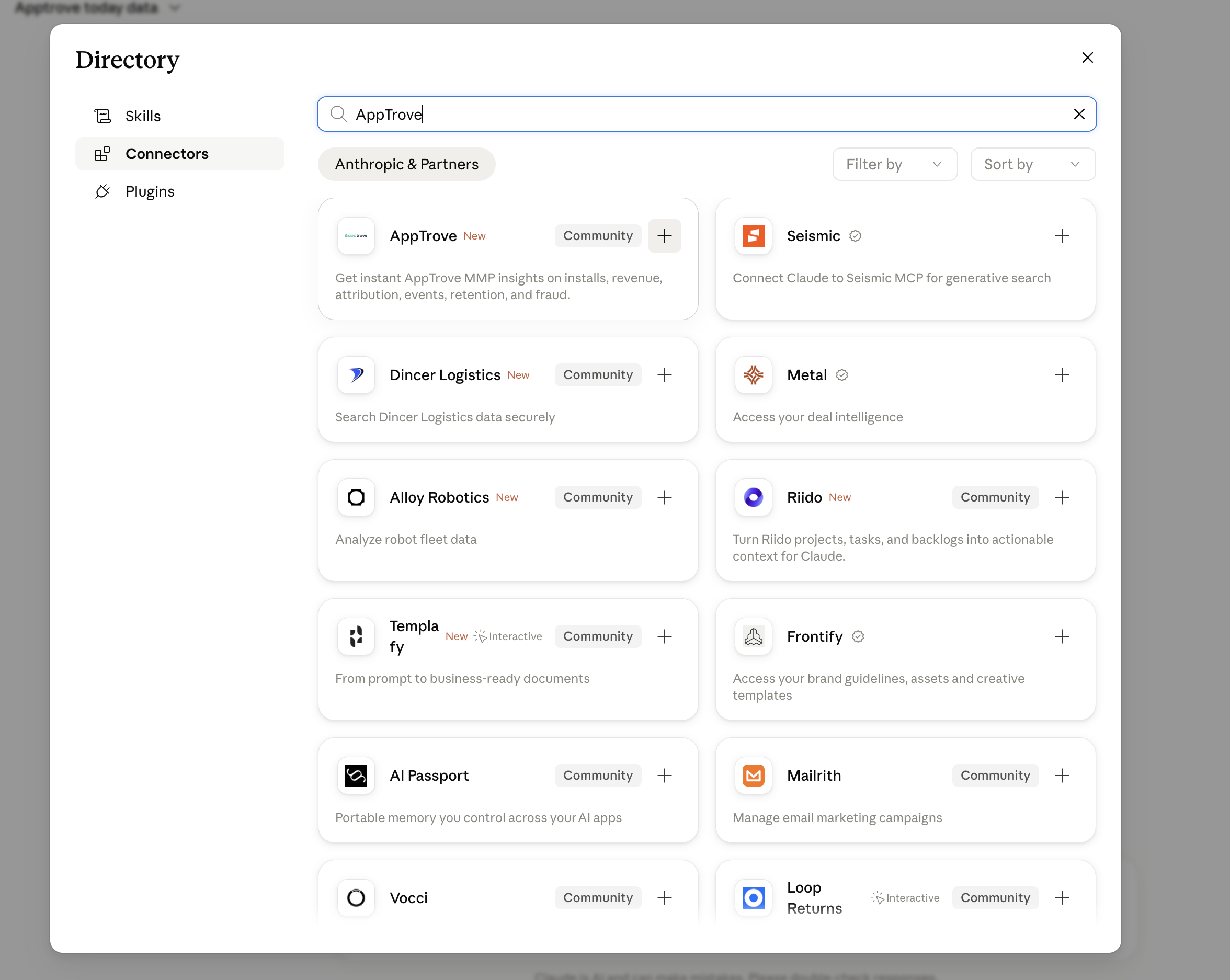
2. Find AppTrove
Open Connectors, search AppTrove, then open the AppTrove card.
3. Connect
Click Connect on the AppTrove page.
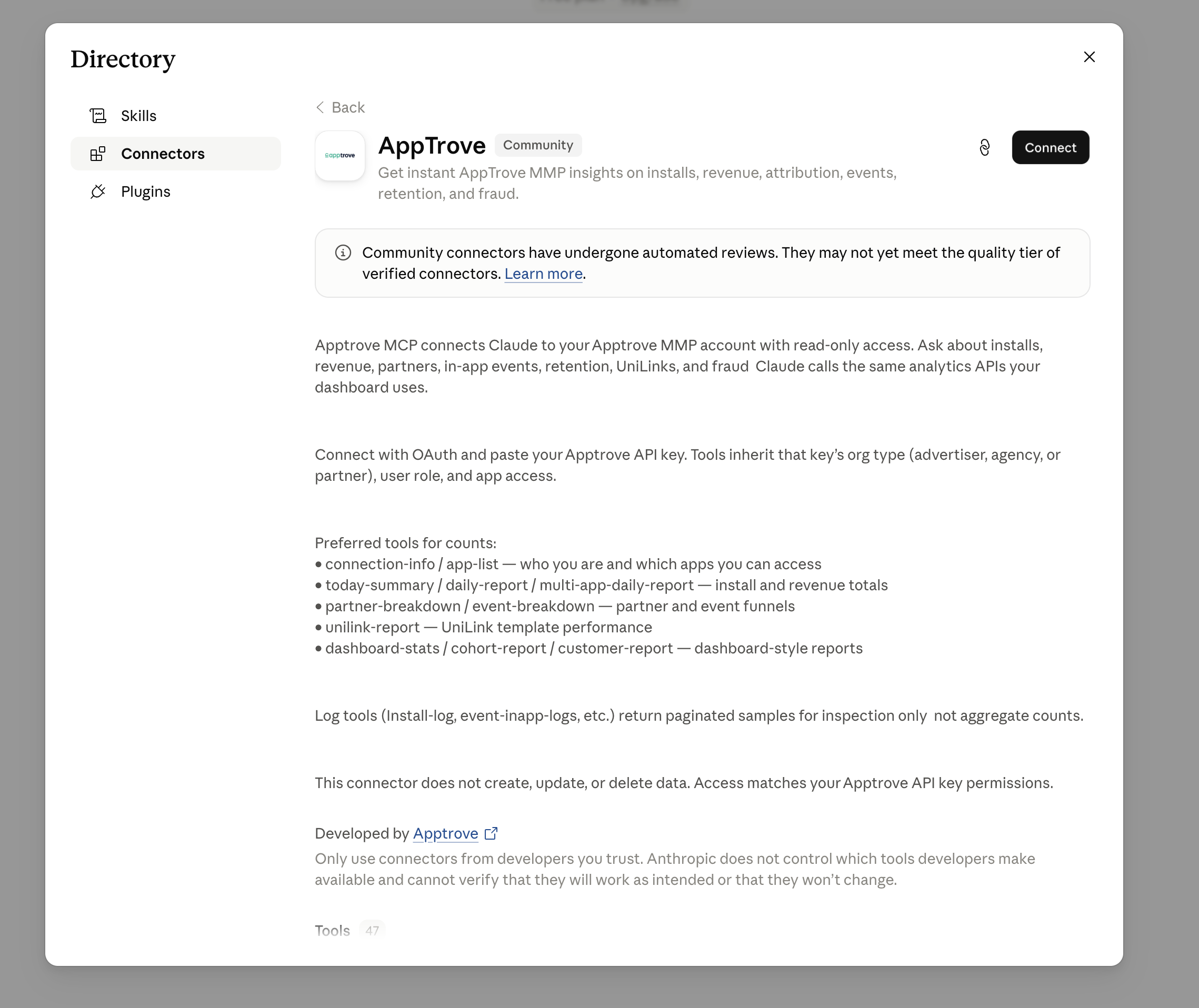
Direct link: claude.ai/directory/connectors/apptrove
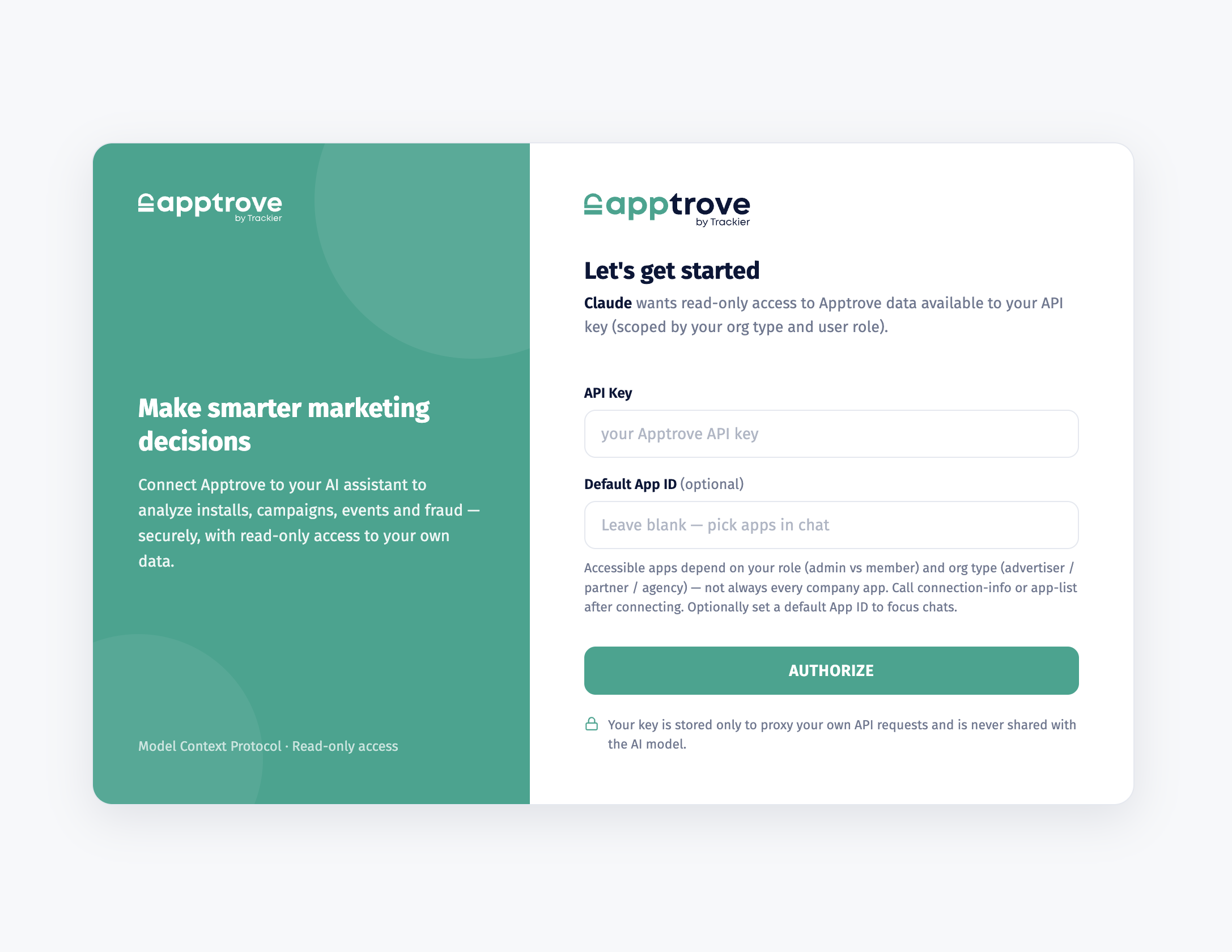
4. Authorize
Paste your API Key, optionally add a Default App ID, then click AUTHORIZE.
5. Confirm it’s on
Click +, open Connectors, and make sure AppTrove is toggled ON.
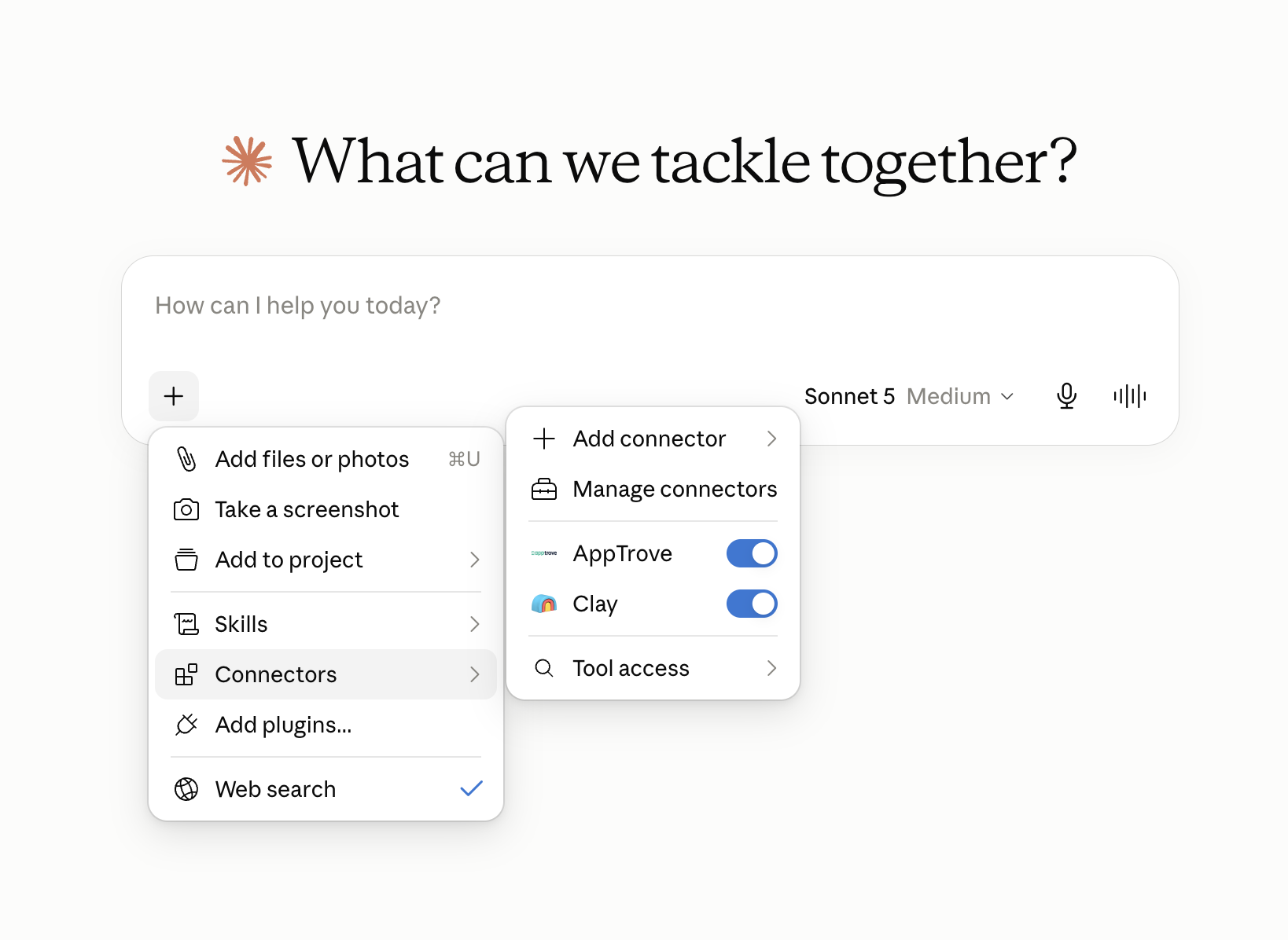
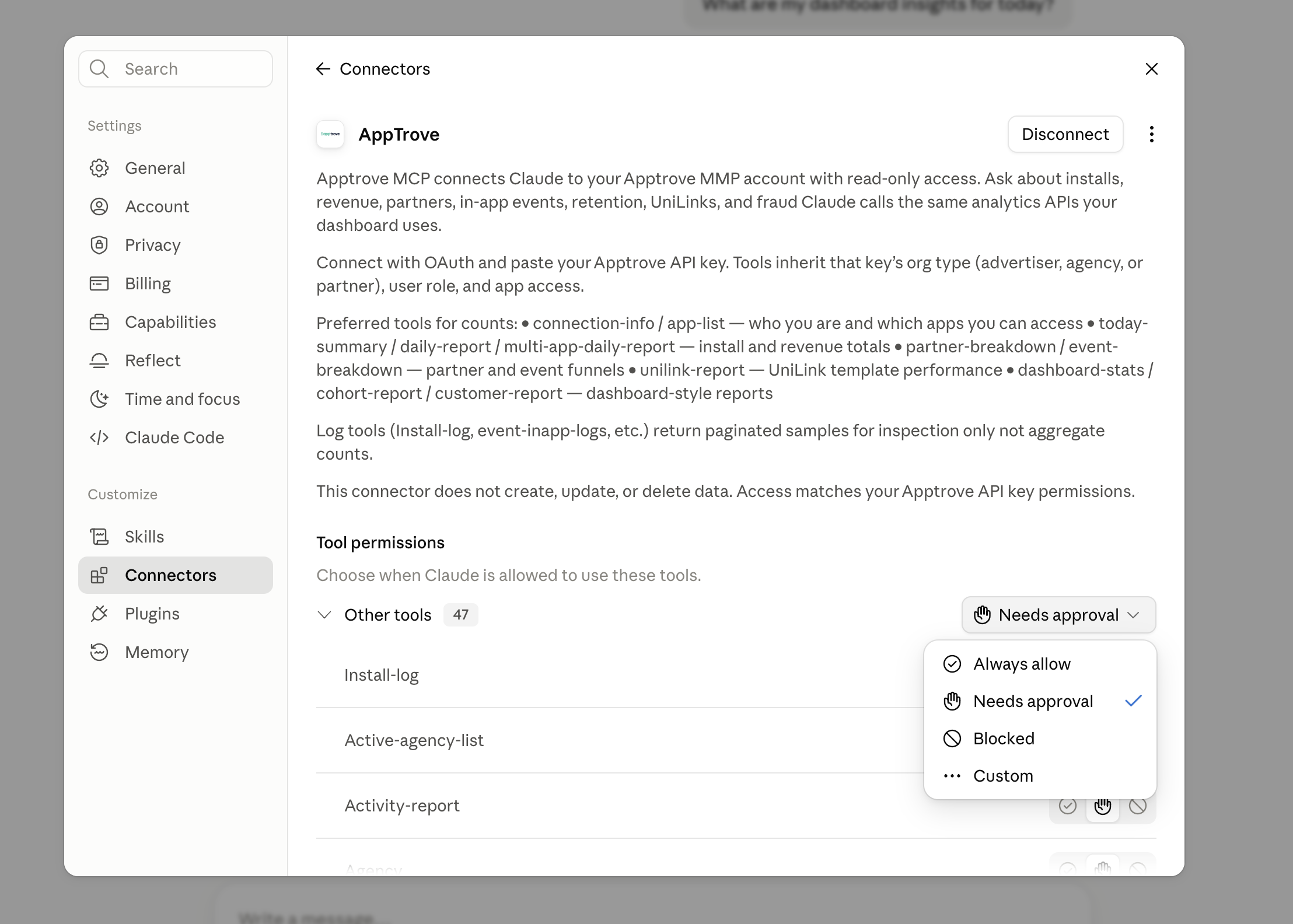
6. Tool permissions (optional)
In Settings → Connectors → AppTrove, set tools to Always allow if you don’t want to approve each call.
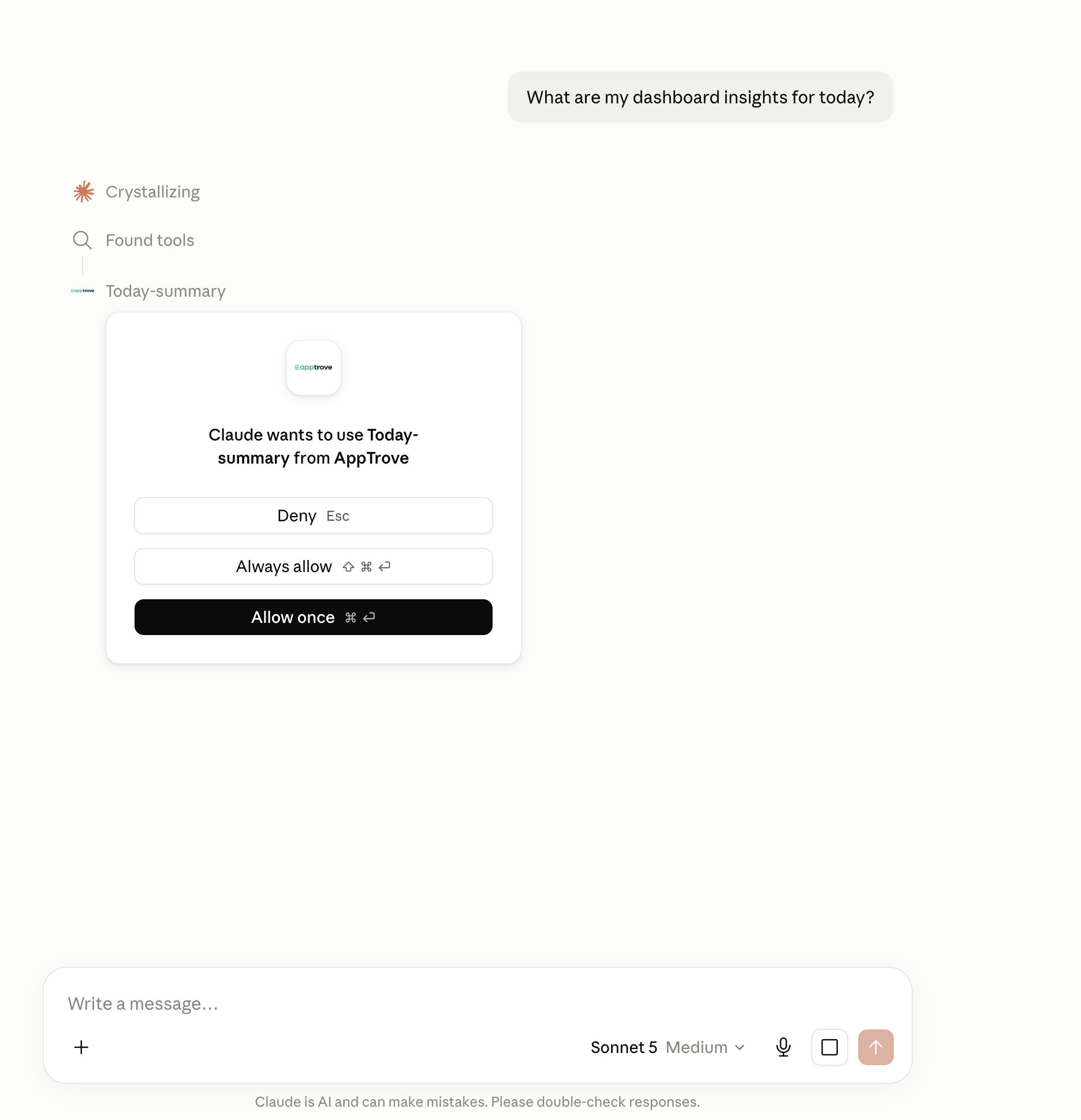
7. Allow the first tool call
On your first question, Claude may ask to use an AppTrove tool. Choose Allow once or Always allow.
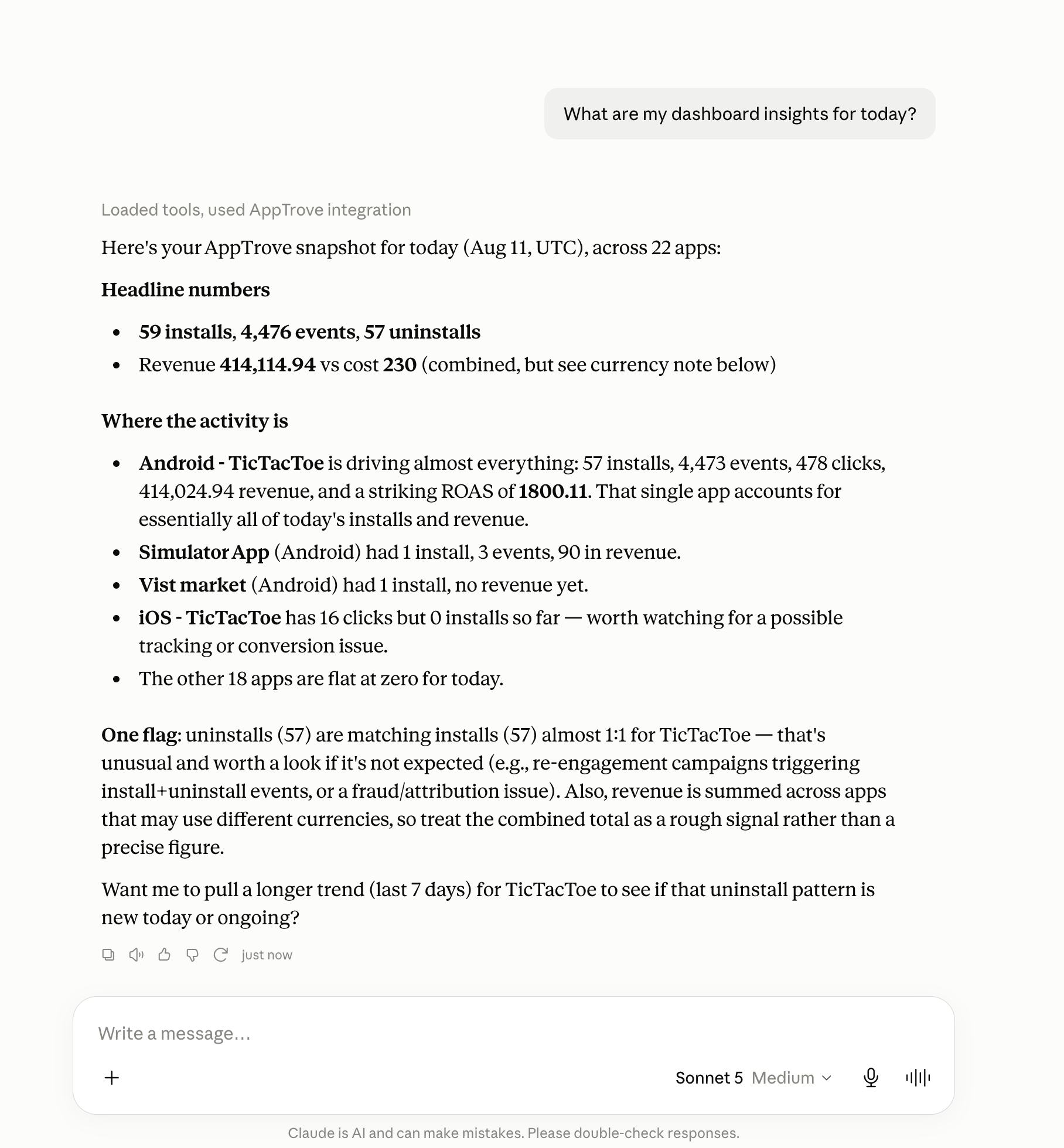
8. Ask anything
Example: “What are my dashboard insights for today?”
Cursor and Claude Code
claude mcp add-json apptrove '{
  "type": "http",
  "url": "https://mcp.apptrove.com/mcp",
  "headers": { "Authorization": "Bearer YOUR_API_KEY" }
}'
Cursor (~/.cursor/mcp.json):
{
  "mcpServers": {
    "apptrove": {
      "url": "https://mcp.apptrove.com/mcp",
      "headers": { "Authorization": "Bearer YOUR_API_KEY" }
    }
  }
}
Optional: add "x-app-id": "YOUR_APP_ID". Don’t commit API keys.
Example questions
- What apps can I access?
- Today’s installs and events across my apps
- Daily report for app
<appId>from 2026-07-01 to 2026-07-31 - Partner breakdown for last 7 days
- Top in-app events this week
- UniLink report for app
<appId>
Useful tools
| Need | Tool |
|---|---|
| Apps and access | connection-info, app-list |
| Today | today-summary |
| Multi-app range | multi-app-daily-report |
| One app totals | daily-report |
| By partner | partner-breakdown |
| By event name | event-breakdown |
| UniLink | unilink-report |
| Dashboard | dashboard-stats |
| Cohort | cohort-report |
Privacy and data sharing
When you connect MCP, Apptrove returns read-only analytics for your API key to the AI client you chose.
Once that data reaches an AI client (Claude, ChatGPT, Cursor, or similar), that provider’s own retention, logging, and training policies apply, not Apptrove’s. Review their policies before sharing sensitive data:
| Product | Policy |
|---|---|
| Claude (Anthropic) | Privacy Policy |
| ChatGPT (OpenAI) | Privacy Policy |
| Cursor | Privacy Policy |
Apptrove does not control how those products store, train on, or retain chat content after tool results are delivered.
For how Apptrove processes data on our side, see the Apptrove Privacy Policy.
Troubleshooting
| Issue | Fix |
|---|---|
| Can’t connect | Check your API key on the authorize screen |
| No apps listed | Ask for connection-info. Access depends on your role and org |
| UniLink shows 0 | Ask for unilink-report |
| Constant permission prompts | Set Always allow in connector settings |